Built Own AI Note System
So I’ve been building this thing for a while now to document what I’ve done, because I genuinely think it’s a useful little project for everyone to create (Yes, we can try vibe coding it).
The problem
I take some notes somtimes. Random thoughts, things I learned, stuff I want to try later, just any notes. The problem is I write them like a mess — half sentences, bullet points with no context, abbreviations only I understand. And then two weeks later I can’t find anything or make sense of what I wrote.
I tried Obsidian, great tools honestly, but I always felt like I was spending more time organising than actually thinking and drop notes. I’m super lazy.., I want a agent can help me organising and make up the text. I just focus on the content.
So I try to built my own thing.
What it is
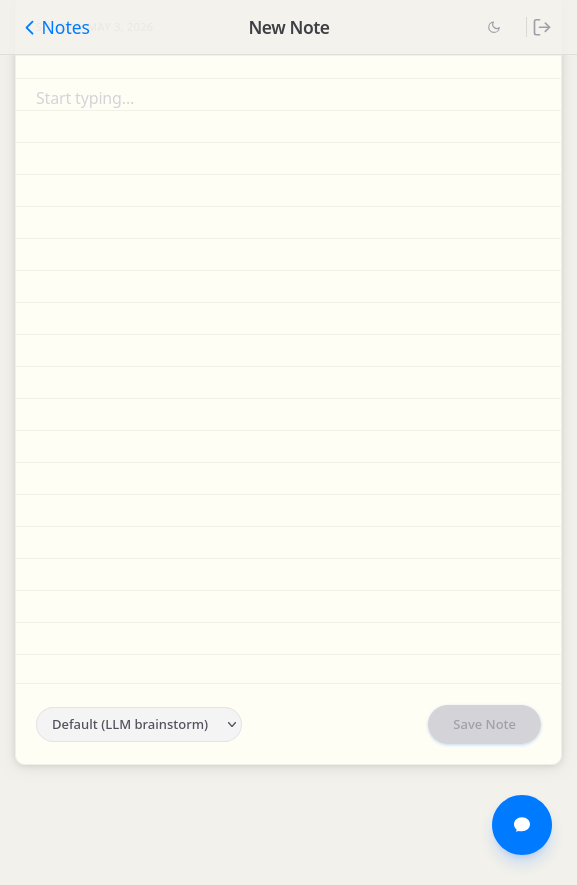
It’s a personal note system where you just dump your raw thoughts into a text area and hit Save Note. The backend sends it to an LLM which:
- Cleans up the language
- Fix grammar
- Figures out a proper title
- Tags it automatically
- Saves it as a markdown file with frontmatter
The UI is intentionally minimal — basically copy like Apple Notes style.
Let’s LLM handle it
One thing I just added that I’m pretty happy about — a little dropdown next to the Save button. You can pick how you want the LLM to treat your draft:
- Default (LLM brainstorm) — let the AI do its thing, it might add structure, clean up ideas, whatever it thinks helps
- No additional — just clean it up, don’t add anything extra
- TODO — format it as a checkbox task list
- Summary — condense the note into a clean summary
Asking questions about your notes
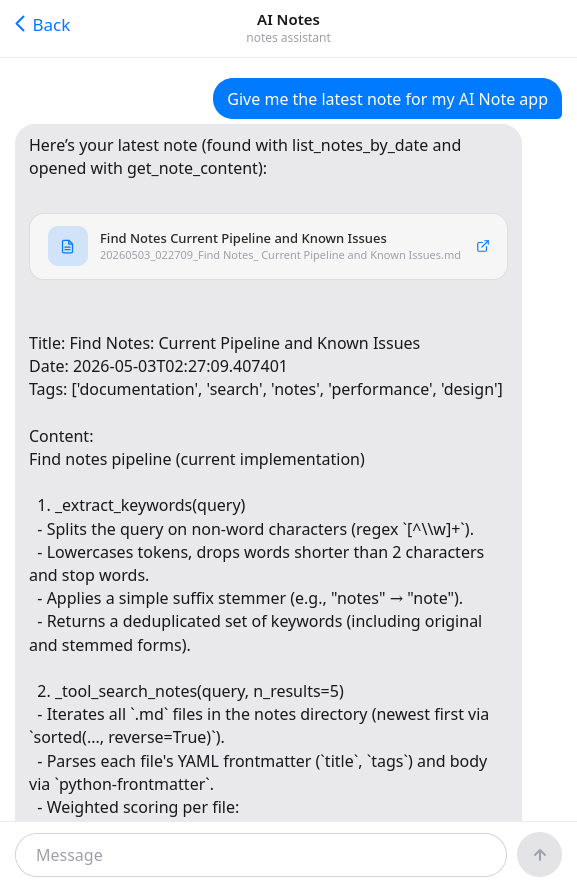
There’s also a chat interface — tap the floating chat button and jump into a full-screen chat (First figure) where you can ask things like “what did I work on last week?” or “do I have any notes about Python async?”.
The backend runs an agent loop that searches through my notes using keyword matching. I was using RAG ways before, But I find that it will be a killer crash my $5 server over the time.. So I switch to using more simple approach - grep(I wrote a note for this - Using Grep instead of RAG ).
The stack
- Frontend: Vue 3 + Vite + TailwindCSS.
- Backend: FastAPI + Python.
- Notes: Plain markdown files
Closing thoughts
It’s not trying to be a product. Honestly, I think this is a super personal application. It’s just a tool that works exactly the way I want it to. I think everyone can Vibe this app today.